TIXX ONLINE SHOP – TIXX 6 VOUCHER MODULE
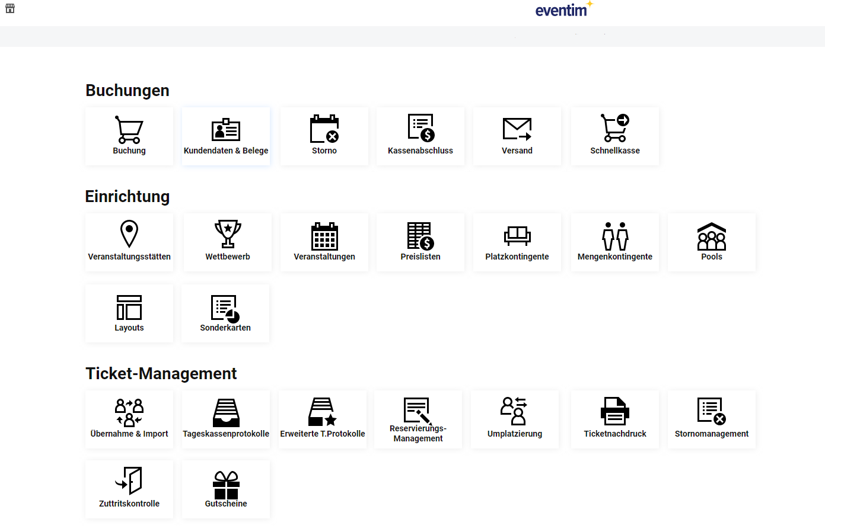
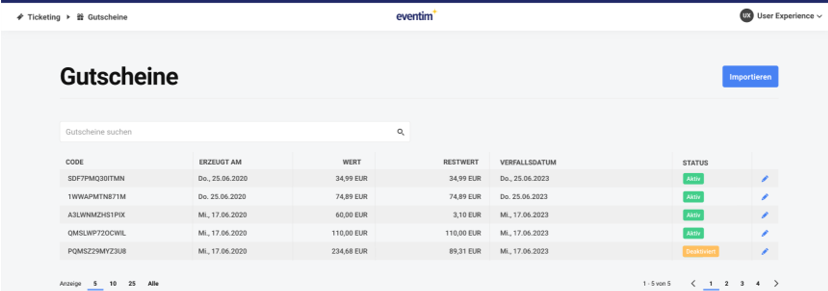
The new Tixx 6 voucher module provides a complete overview of all vouchers in the system, user-friendly management with an editing function, enables the import/export of voucher codes, and forms the basis for the sale of purchase vouchers. The voucher module is accessible exclusively via Tixx6 and is located in the Ticket Management area. Accordingly, visibility is also controlled via the Tixx permission “Ticket-Management”.
2.1 Import of voucher codes
The basis of the voucher functionality is the actual codes. These can be easily imported into the module via a CSV import and are immediately available.
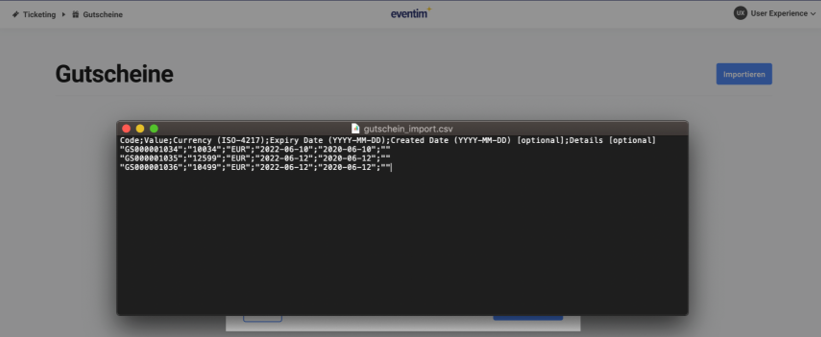
The origin of the codes and how they were generated (an external tool/system or manually via Microsoft Excel) is generally unrestricted. This means that, for example, for reversals in the context of the COVID-19 pandemic, the ticket barcode / ticket ID can be imported as a voucher code, as in this case the customer already “has their code in hand”. The imported data set is checked during redemption in the Tixx online shop, and only existing codes can be redeemed according to their value.
The following information is provided for the import:
- Voucher code
- Value
- Currency
- Expiration date*
- Creation date*
- Note/Details*
*optional
Note: Imported vouchers are settled analogously to sold vouchers, in accordance with the agreed contract amendment.
Vouchers without an expiration date are valid indefinitely and can be redeemed for any length of time. If an expiration date is stored, redemption of the voucher code is no longer possible after this point in time.
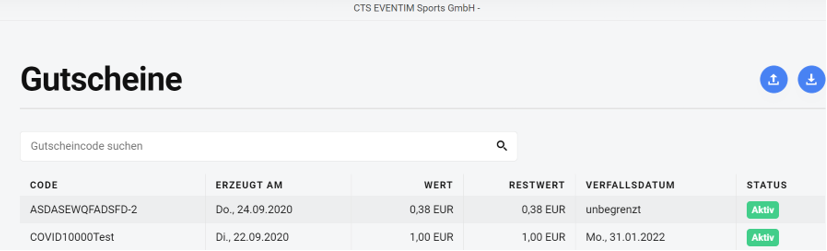
The creation date serves traceability purposes and has no impact on redemption or similar processes. If no date is specified, the system automatically assigns the current date as the creation date.
The following validation rules must be observed for a successful import process:
- The minimum and maximum length is 10 and 30 characters respectively.
- Only the characters “A-Z, 0-9, -,” are permitted.
2.2 Export of the voucher overview
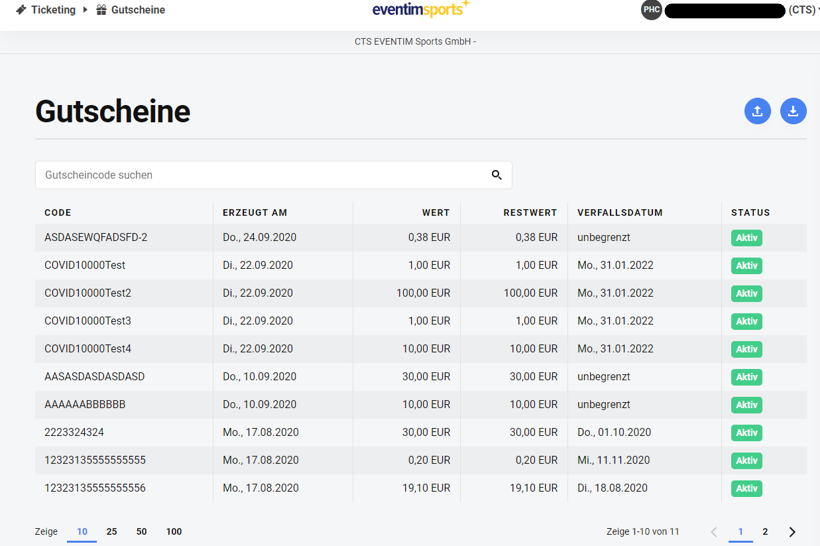
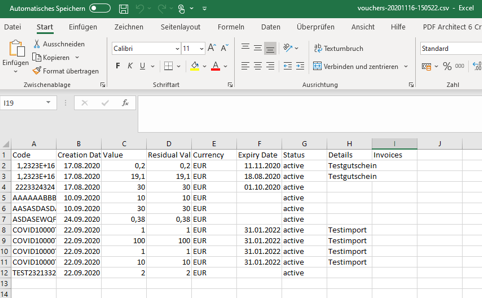
The voucher overview can be exported, for example for further processing in accounting. In addition to the data contained in the overview, the exported voucher information also includes the invoice numbers for which the voucher was redeemed.
Depending on the Excel version, the formatting of the cells may need to be adjusted in order to obtain a correct display.
2.3 Editing of vouchers
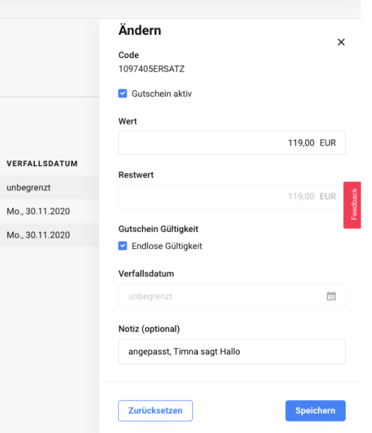
All vouchers can be edited retrospectively. The code can be modified, expiration dates adjusted, or values corrected upward or downward. The remaining value results from the change in value and is automatically adjusted accordingly. In all cases, logical checks are performed to ensure that duplicate or invalid codes continue to be prevented. Vouchers can, for example, be deactivated in cases of suspected manipulation or fraud, which immediately prevents redemption of the respective code in the shop.
Hinweise (deutsche Fehlerbeschreibung):