TIXX ONLINE SHOP – PURCHASE VOUCHERS
Purchase vouchers can be sold and redeemed both via the Tixx online shop and via the Tixx back office. In both cases, mixed shopping carts (tickets and vouchers in one purchase process) are also possible. Prospectively, redemption and sale will also be possible in Tixx merchandising as well as in club-owned external systems.
3.1 Setting up the online shop for purchase vouchers
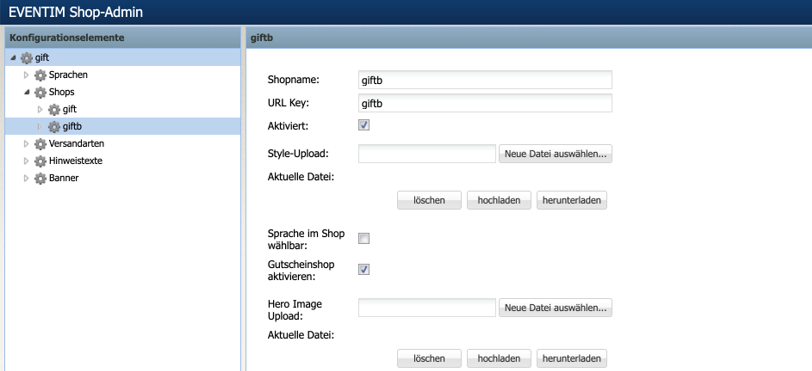
In order to offer purchase vouchers in the Tixx online shop, the checkbox “Activate voucher shop” is required in the shop admin of the respective shop. Afterwards, the vouchers previously set up in the voucher module can be offered for sale in this shop, analogous to the activation of an event (see also item 0 Setup of purchase vouchers in the Tixx voucher module).
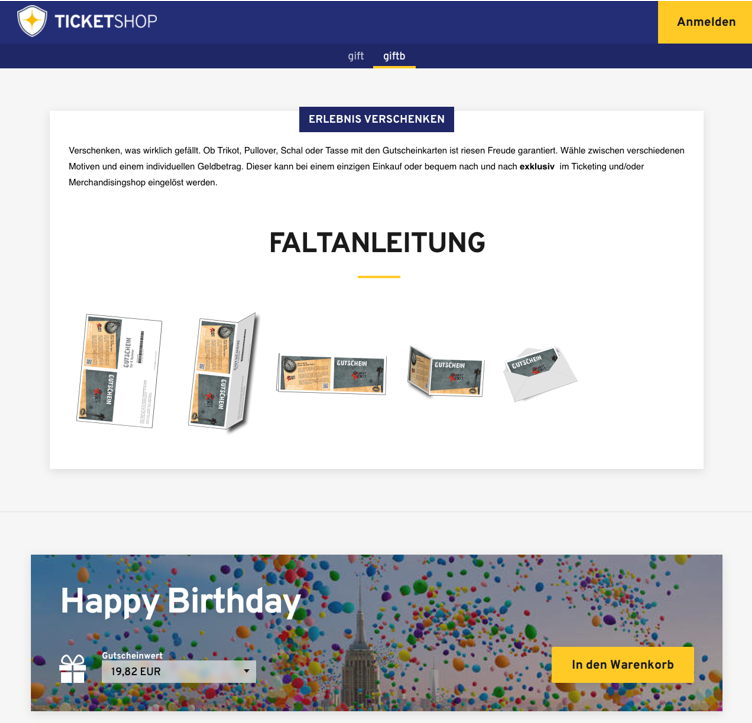
A voucher shop can be designed using a new visual (WYSIWYG) note text editor
which provides predefined templates and thus offers as much flexibility as possible. For this purpose, a note text is created in the familiar manner and displayed in the voucher shop at the desired position. The editor can also be used for all other note texts.
3.2 Setup of purchase vouchers in the Tixx voucher module
Purchase vouchers differ from imported vouchers in that they are purchased via the Tixx sales interfaces. This means there is a configuration, a process, a payment, and an invoice. The setup screen can be found under the tile “Vouchers” in the “Ticket Management” area in the menu item “Voucher setup”:
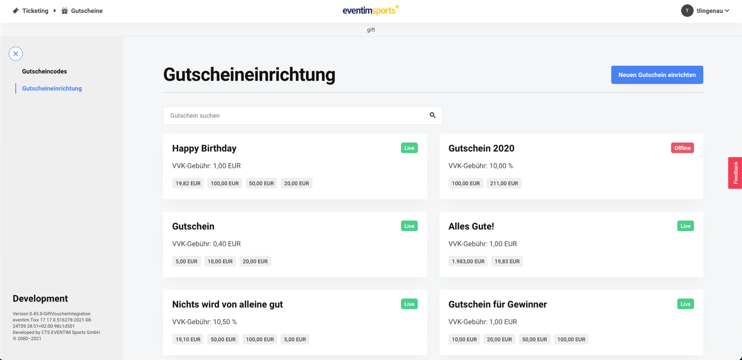
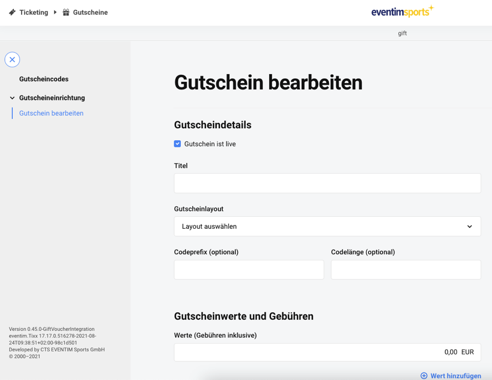
In this setup screen, the most important sales parameters are maintained:
Activation
Title
Layout
Code parameters
Voucher values and
Advance booking fees.
For the code parameters, it must be taken into account that the same requirements apply as for the import. Optionally, the account assignment for the voucher values can also be stored here. It is important that the layout must be created in advance; a voucher layout can be stored in the layout system just like a ticket layout and must contain the variable VOUCHERCODE in order to display the voucher code, as otherwise the customer will not know their voucher code.
3.3 Settlement of purchase vouchers
Purchase vouchers are settled via the familiar settlement channels, just like tickets. The vouchers are listed in the settlements under their respective titles (see above e.g. “Happy Birthday”) and can thus be identified. All reports that can be consulted and that contain competitions or games now accordingly show a competition “Purchase vouchers”, which contains all vouchers via title. This includes all purchase vouchers that were created in the purchase voucher setup and subsequently sold via the Tixx sales interfaces (back office and online shop). In the cash closings and the advance booking cash desk settlements, the base price and advance booking fees are listed and calculated accordingly. The invoices also flow into Tixx-Connect as usual and will appear in the XML interface, the offline exports, and further statistics and reports.
3.4 Cancellation of purchase vouchers
In contrast to imported vouchers, which can be deactivated and edited, sold vouchers can also be canceled. The procedure is analogous to ticket cancellation. Only “active” vouchers can be canceled, i.e. partially or fully redeemed, inactive, or expired vouchers cannot be canceled.