TIXX ONLINE SHOP – HTML EDITOR FOR NOTE TEXTS
Since the last Tixx update, it is possible to create note texts for the Tixx online shop using a What-You-See-Is-What-You-Get (WYSIWYG) editor.
For this purpose, in the shop admin → Note texts → there is now the function “Switch text editor”:
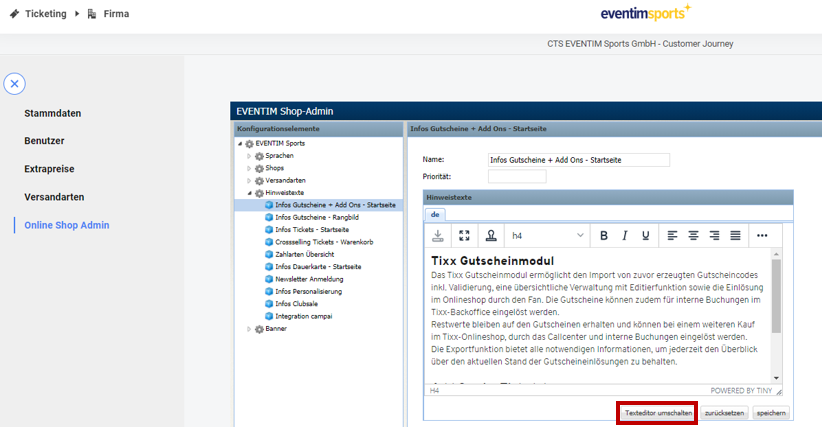
Subsequently, an editor appears similar to those known from other word processing programs such as Word.
Using the editor, it is now easier to style the note texts:
- adjustment of font sizes
- adjustment of display (bold, italic, underlined)
- text alignment (centered, right-aligned, left-aligned, justified)
- uploading images
- links
- creating tables
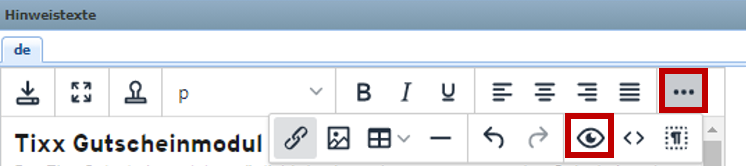
In addition, the editor offers a preview view (click on the three dots → “eye” icon):
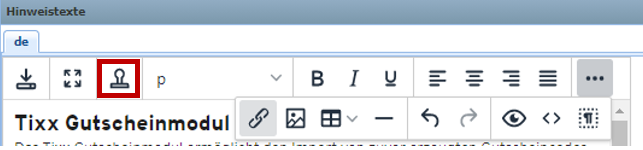
In addition, there are already several templates that we provide to you for easier use. You can find these under the following icon:
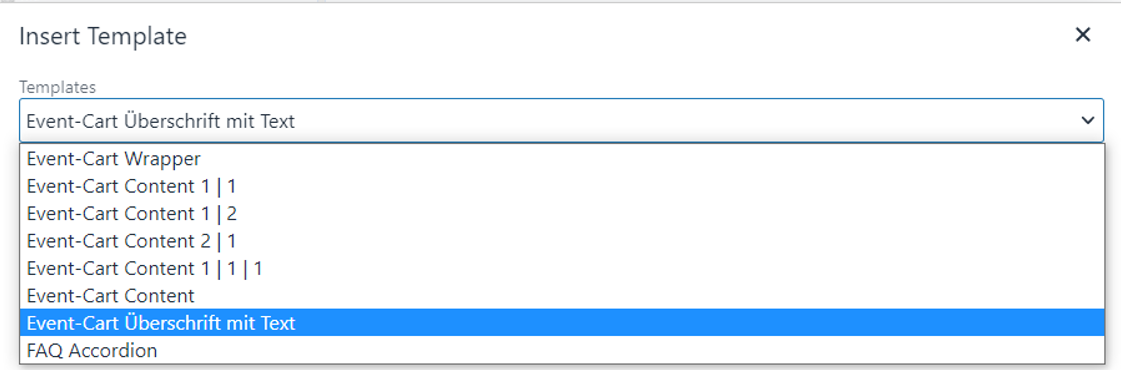
Currently, templates are available that, for example, define the width (halving, thirds, 1/3 to 2/3), have a particularly highlighted headline (event cart headline with text), or make lists clearer as in the FAQ area (FAQ accordion).