TIXX-ONLINESHOP - DIGITAL TICKETS - B2B CONTEXT
The functionality of the digital tickets has already been on the market for a year. Right on time for the start of the new seasons, we released version 1 of the “Digital Ticket in the B2B Context” and created a new landing page for the digital tickets.
What does the new landing page offer the fans?
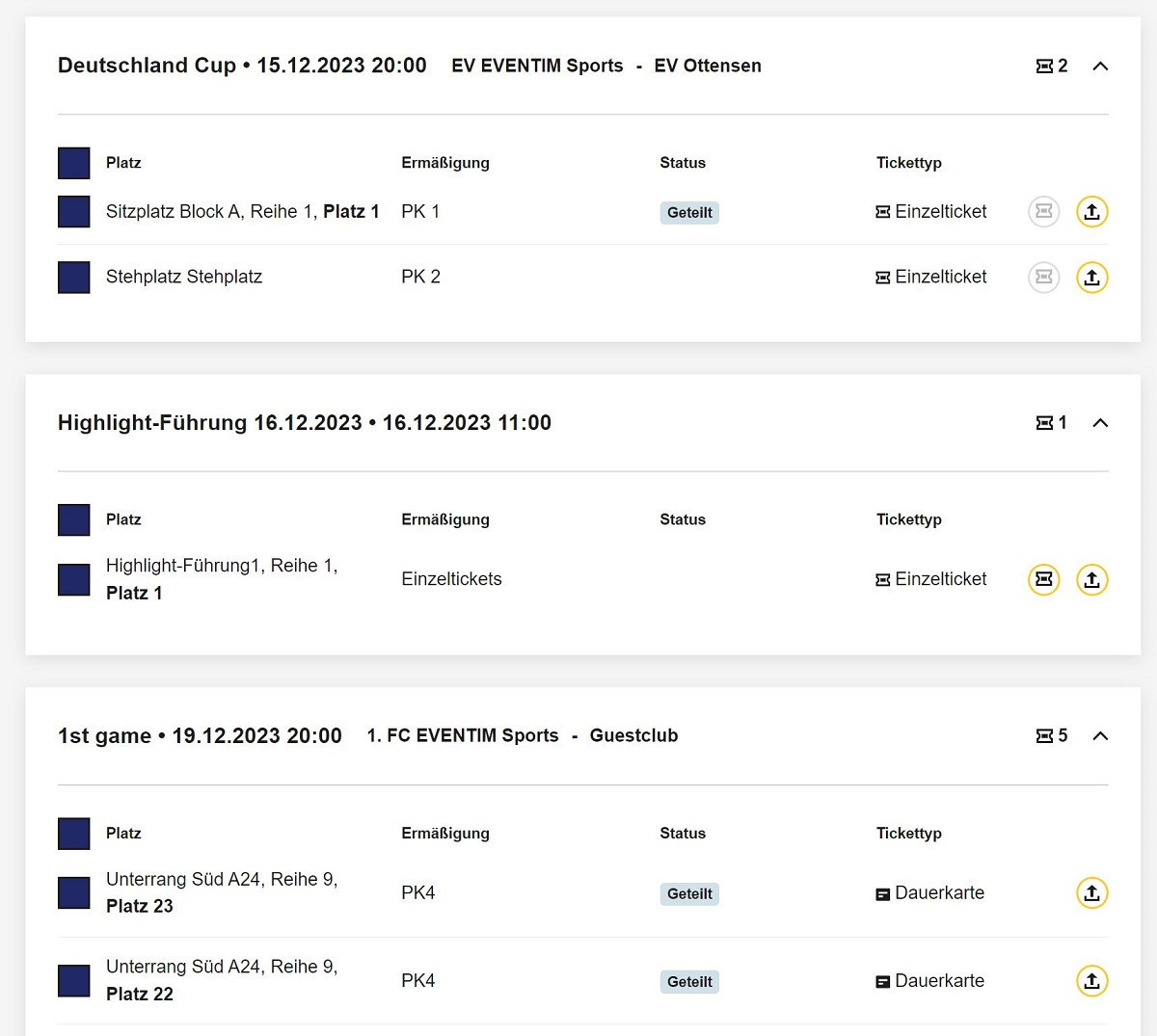
On the new “Digital Tickets” page in the My Account area of the Tixx online shop, fans will find all future digital tickets. These are grouped per event. As a further development of the previous presentation of the digital tickets, fans can now download and share multiple tickets at once.
The functionality of sharing and downloading remains analogous to the familiar logic (see manual “Digital Tickets”). If a fan wants to download an individual ticket, they can choose between the Apple or Google Wallet and a PDF document. If more than one ticket is downloaded at the same time, a ZIP file with all PDF tickets is generated and downloaded.
How can I activate the new landing page?
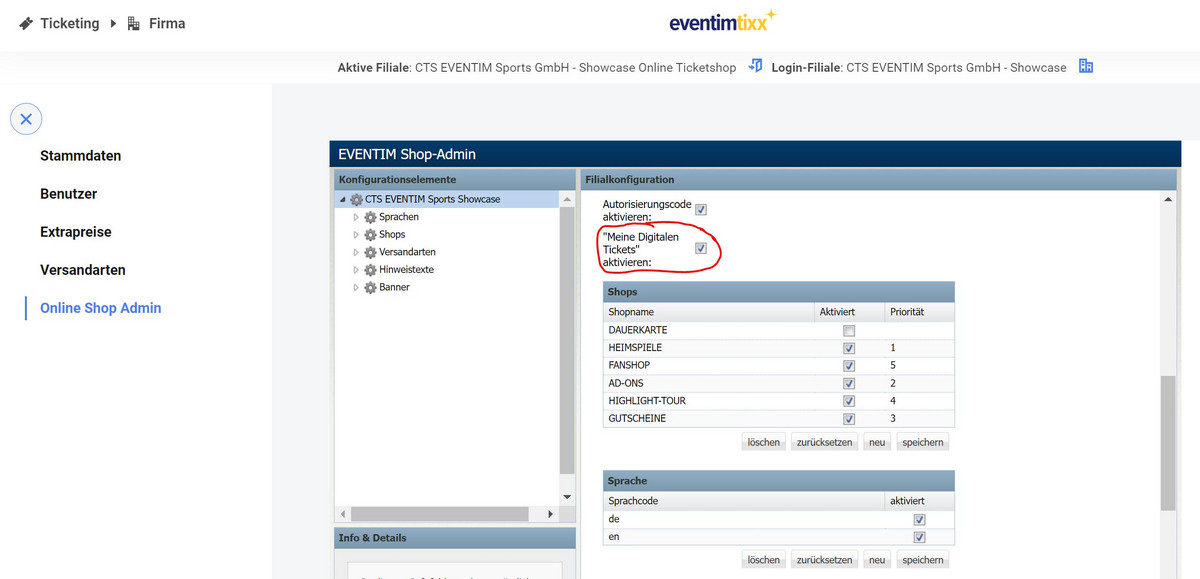
You can activate the new landing page in the online shop admin of the Tixx back office. To do this, activate the selection field “Activate My Digital Tickets” on the overview page of the shop admin.
Where can I find the new landing page?
The “My digital tickets” tile appears as an additional tile in the “My Account” area as soon as you have checked the box in the online shop admin. On this page, the fan finds all digital tickets for future events, even if they were booked in several booking processes.
The text of the “My digital tickets” tile can be changed in the language file using the following key: useraccount.ticketsoverview.header.text
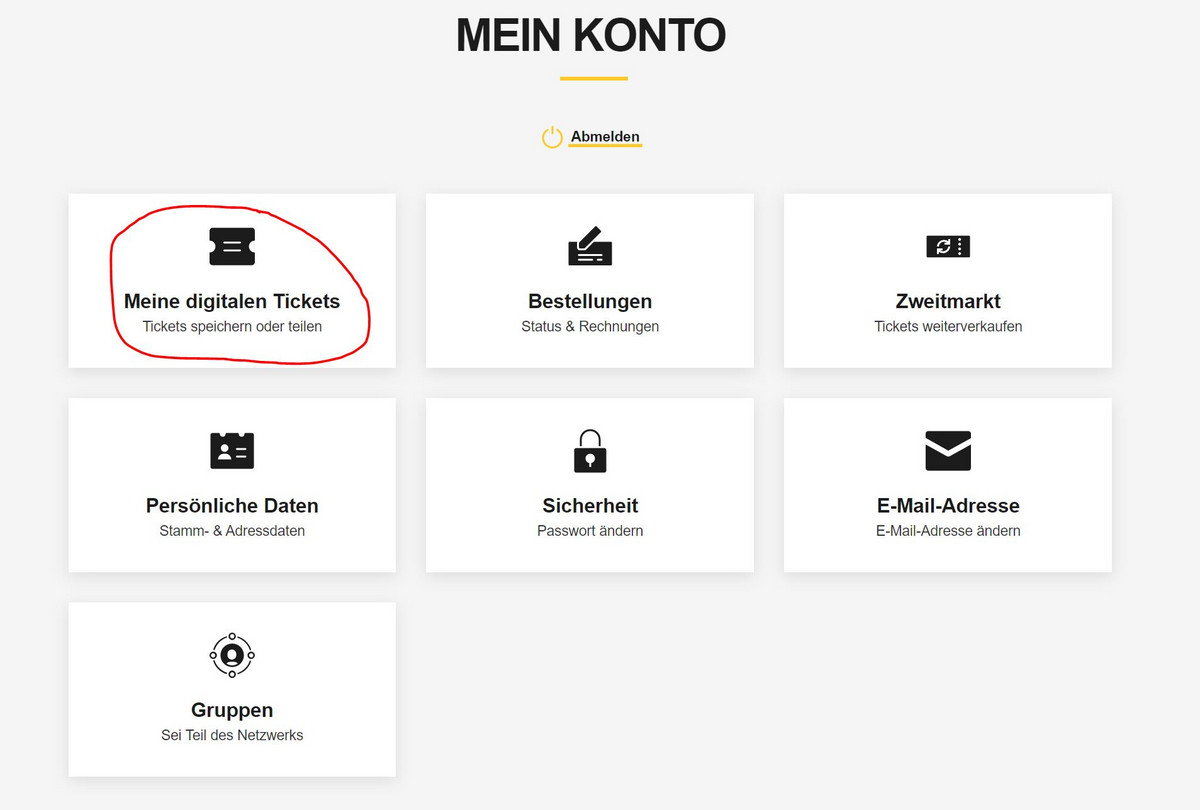
“My digital tickets” as an additional option
It is important that the already familiar page to which the fan is directed after purchasing the tickets via the “Save and forward” button continues to exist. Even when the fan accesses their digital tickets via their orders, they are taken to the familiar page, which lists only the digital tickets of that single order.
If you want your fans to be directed straight to the new landing page, you can include the URL of the page in the confirmation emails, for example. The URL is: www.ticket-onlineshop.com/ols/[SHOP-URL]/de/[SHOPREITER-URL]/channel/shop/useraccount/ticketsoverview